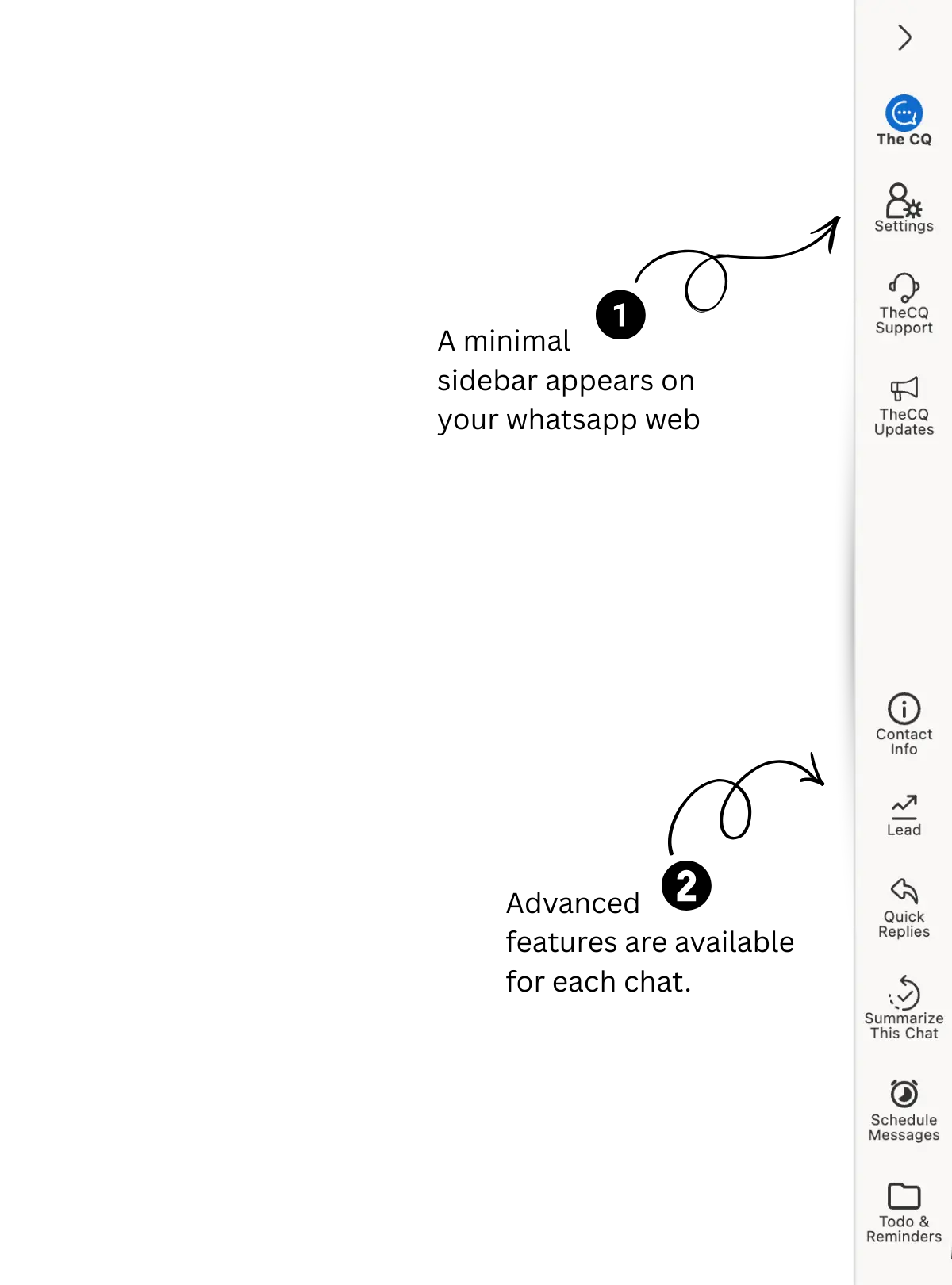
WhatsApp Sales, Simplified

Turn WhatsApp Chats Into Paying Customers

مسارات المبيعات، العملاء المحتملين، وكيل الذكاء الاصطناعي الوارد، المهام، الملاحظات، التقارير، والمزيد.
5.0 rating on the Chrome Web Store · 500+ small businesses already selling on WhatsApp with us
Re-engage cold leads
Broadcast
Broadcast on WhatsApp
1
AI reply ⚡
AI Agent
Talks to hundreds at once
2
Hot Warm Cold
Lead Management
Every chat becomes a lead
3
New Follow-up Closed
Pipeline
Deals move to closed
4
+1 deal ✓
Dashboard
Watch your sales grow
5
01
5.0
Average rating on the Chrome Web Store

Real reviews from small business owners, not marketing copy

02
500+
Small businesses already selling on WhatsApp with us

Already running their day-to-day sales through The Chat Quotient

03
10x
More leads handled

One agent runs every conversation at once — no queue, no waiting your turn

04
3x
More leads converted

AI follows up and handles objections automatically — fewer leads go cold

05
1 click
From chat to tracked deal

AI drafts the lead title, stage, priority, and value straight from the conversation

06
0
Tabs you have to switch to

Broadcasts, replies, leads, and the pipeline all live inside WhatsApp Web

What Small Businesses Are Saying

Straight from the Chrome Web Store — unedited.

Managing business conversations on WhatsApp gets overwhelming very fast. This extension fixes that beautifully. AI helps you reply faster, the CRM keeps everything organised, and you don't need to learn a new tool because it all lives inside WhatsApp. Simple, smart, and actually useful for day-to-day work.

Shirin Malokar — Chrome Web Store review

This tool is truly exceptional in every aspect — the logic, design, and usability are outstanding. It's rare to find such high-quality work!

Cityland Leasing — Real estate, Dubai

I've tried many tools, but The Chat Quotient is by far the best WhatsApp CRM I've used. The AI responses are extremely useful!

Akader Akader — Chrome Web Store review

Absolutely impressed by this extension — a CRM inside WhatsApp Web is unique. The attention to detail and thoughtful functionality really set it apart. Recommended for sales teams working in real estate on WhatsApp.

Mishal Patel — Real estate sales
How It Works

From First Hello to Closed Deal

Five things happen automatically every time a customer messages you on WhatsApp. Here's the story of one lead, start to finish.

Step 1

Broadcast

Reach Everyone Without Sounding Like a Robot

Type your message once. The Chat Quotient sends it out to your whole list, one by one, at a pace that keeps your number safe — no mass-blast that gets you flagged, no copying and pasting at midnight.

Personalize each message with the customer's own name
Send to a group, a saved label, or an uploaded list
See who received it and who replied
See how Broadcast works
Step 2

AI Agent

One Agent, Hundreds of Conversations at Once

You can only talk to one customer at a time. While you're busy closing that one, five more are asking the same questions and drifting away. Your AI agent talks to all of them at once, handles the usual pricing and product objections on its own, and tells you the moment a customer actually needs you.

Handles hundreds of chats at the same time, not one at a time
Answers pricing and product objections automatically
Notifies you the instant a customer needs a real person
See how AI Agent works
Step 3

Lead Management

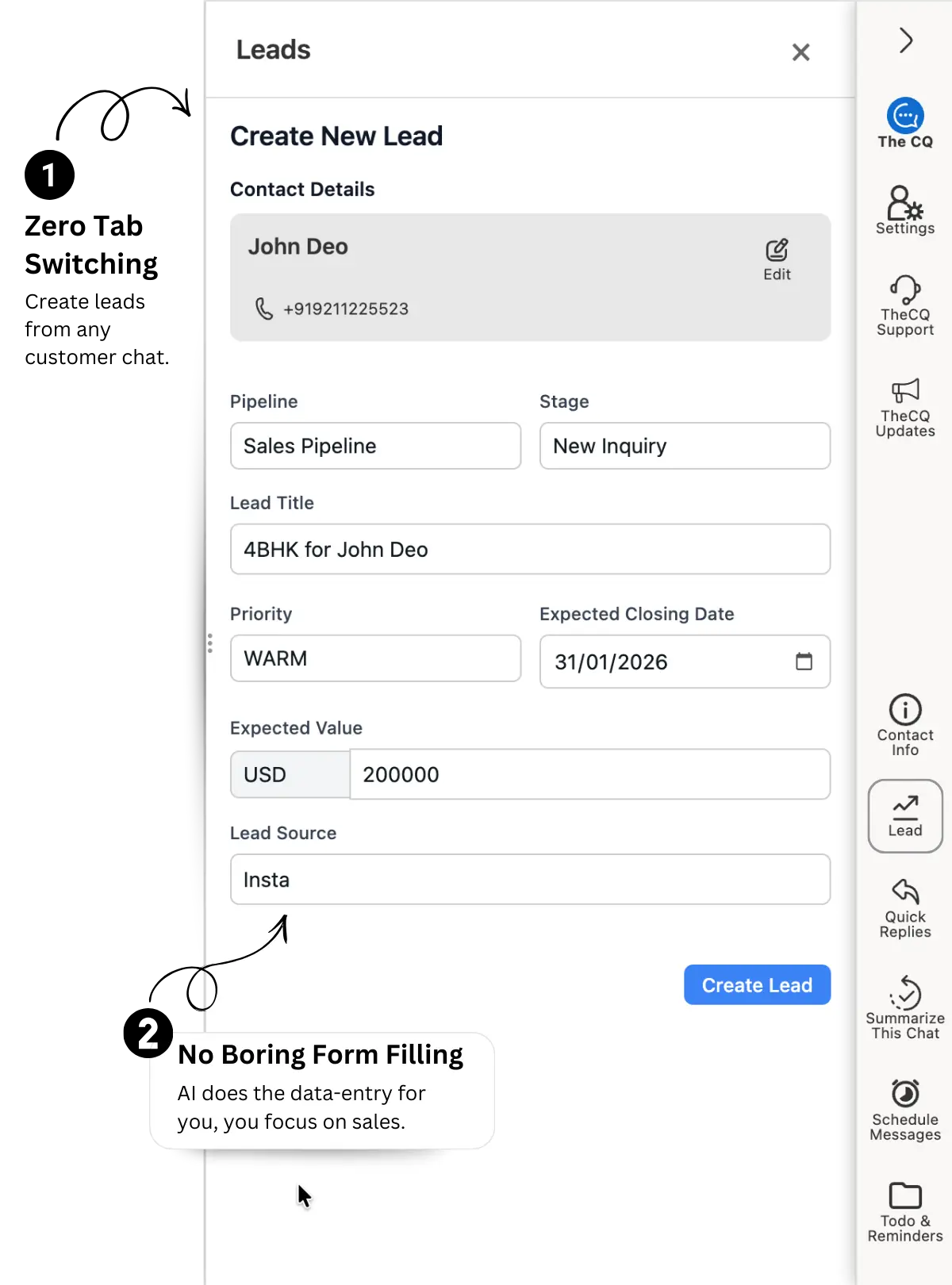
Every Chat Becomes a Customer Record, Automatically

No sticky notes. No spreadsheet nobody updates. The moment someone messages you, The Chat Quotient quietly builds their file — what they asked for, what they said, what the deal is worth.

AI tags each lead Hot, Warm, or Cold
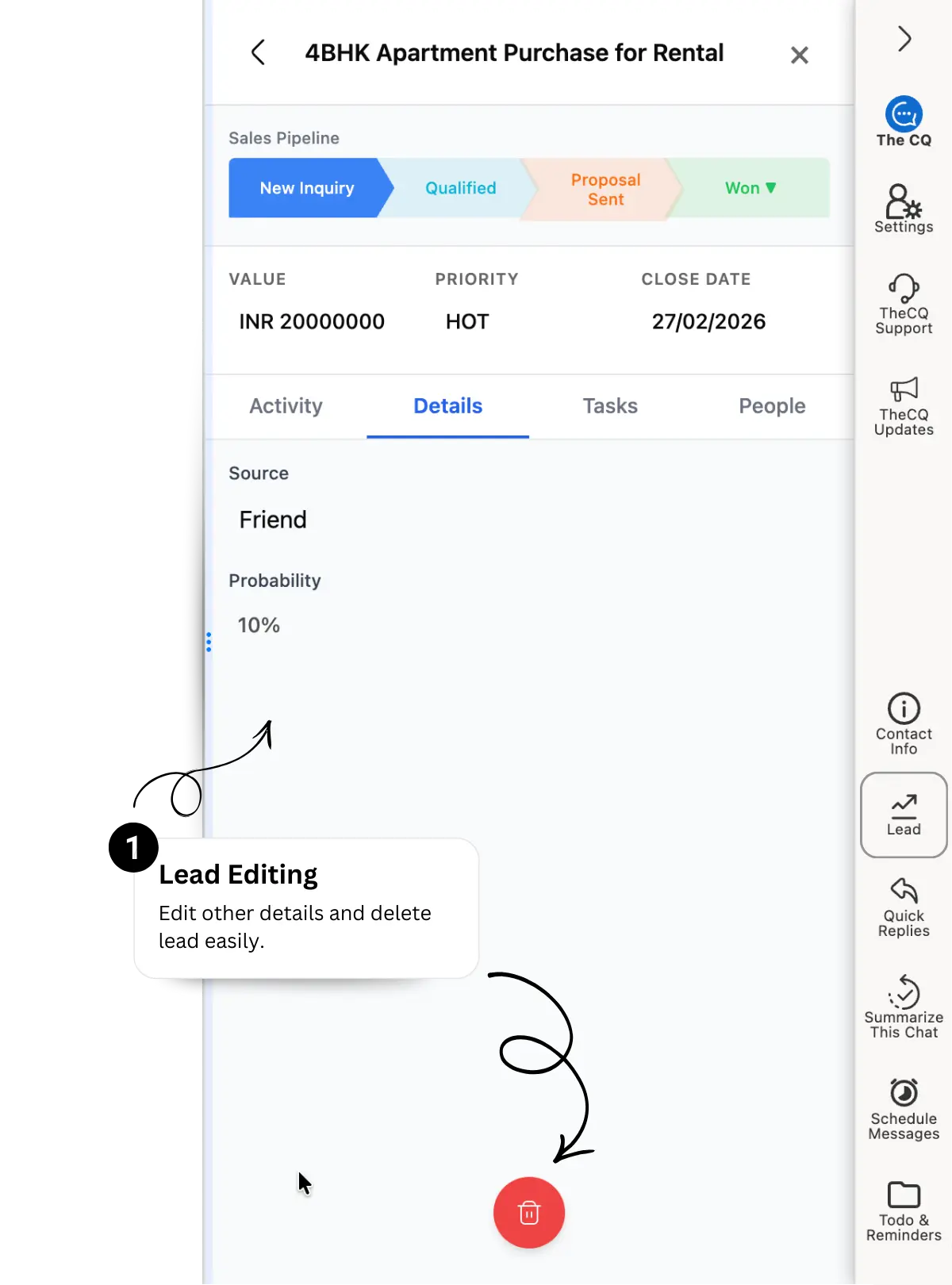
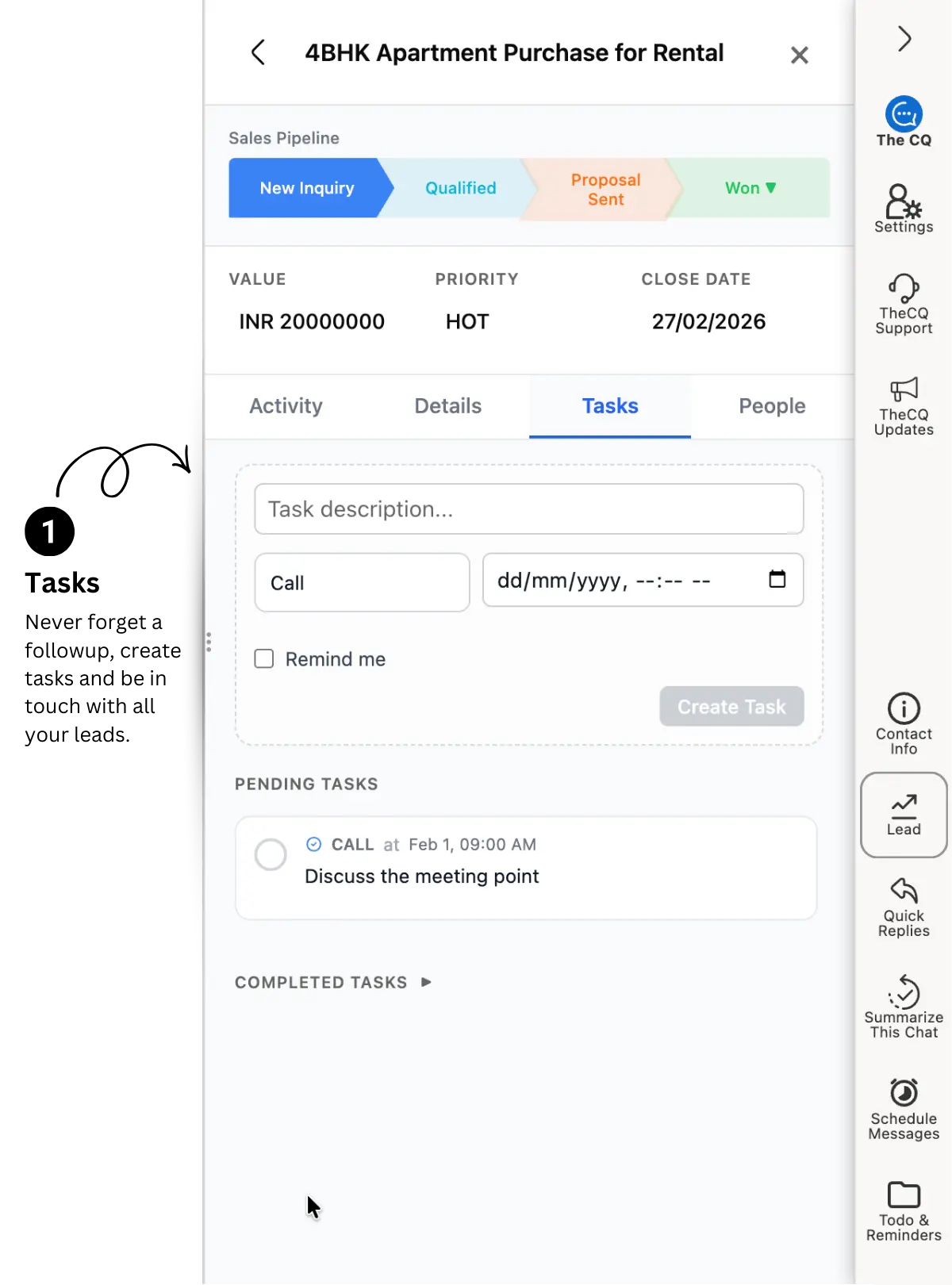
Notes and follow-up tasks attach right to the conversation
Nothing to type — it fills itself in as you chat
See how Lead Management works
Step 4

Pipeline

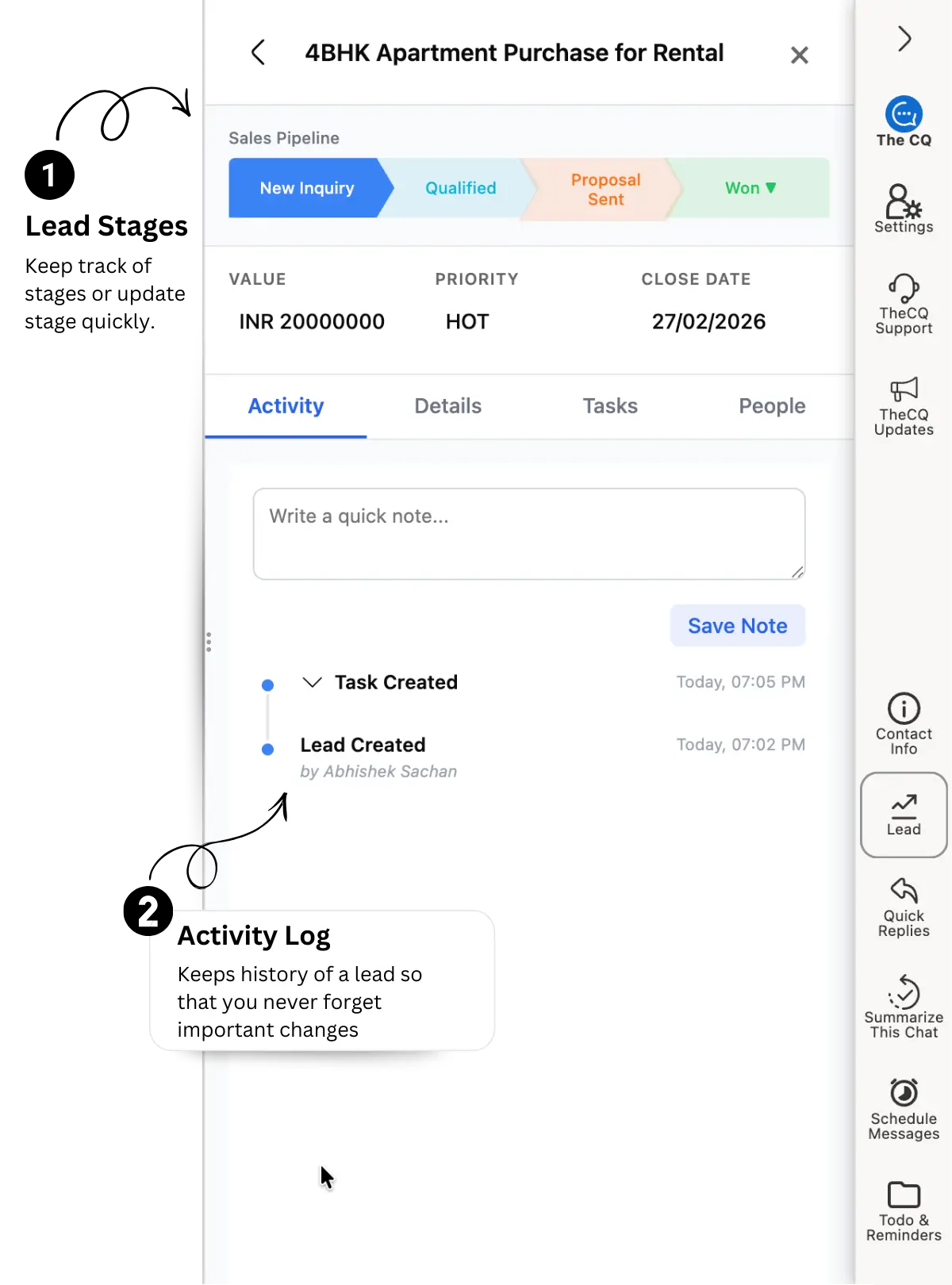
Watch Every Deal Move From 'Just Asking' to 'Paid'

Drag a lead from New to Follow-up to Closed, right next to your chats. You'll always know who's about to buy, who's gone quiet, and who needs one more nudge before you lose them.

A visual board sits inside WhatsApp Web — no extra tab
Stalled deals get flagged before they go cold
Rename stages to match how your business actually sells
See how Pipeline works
Step 5

Dashboard

Your Whole Sales Day, In One Glance

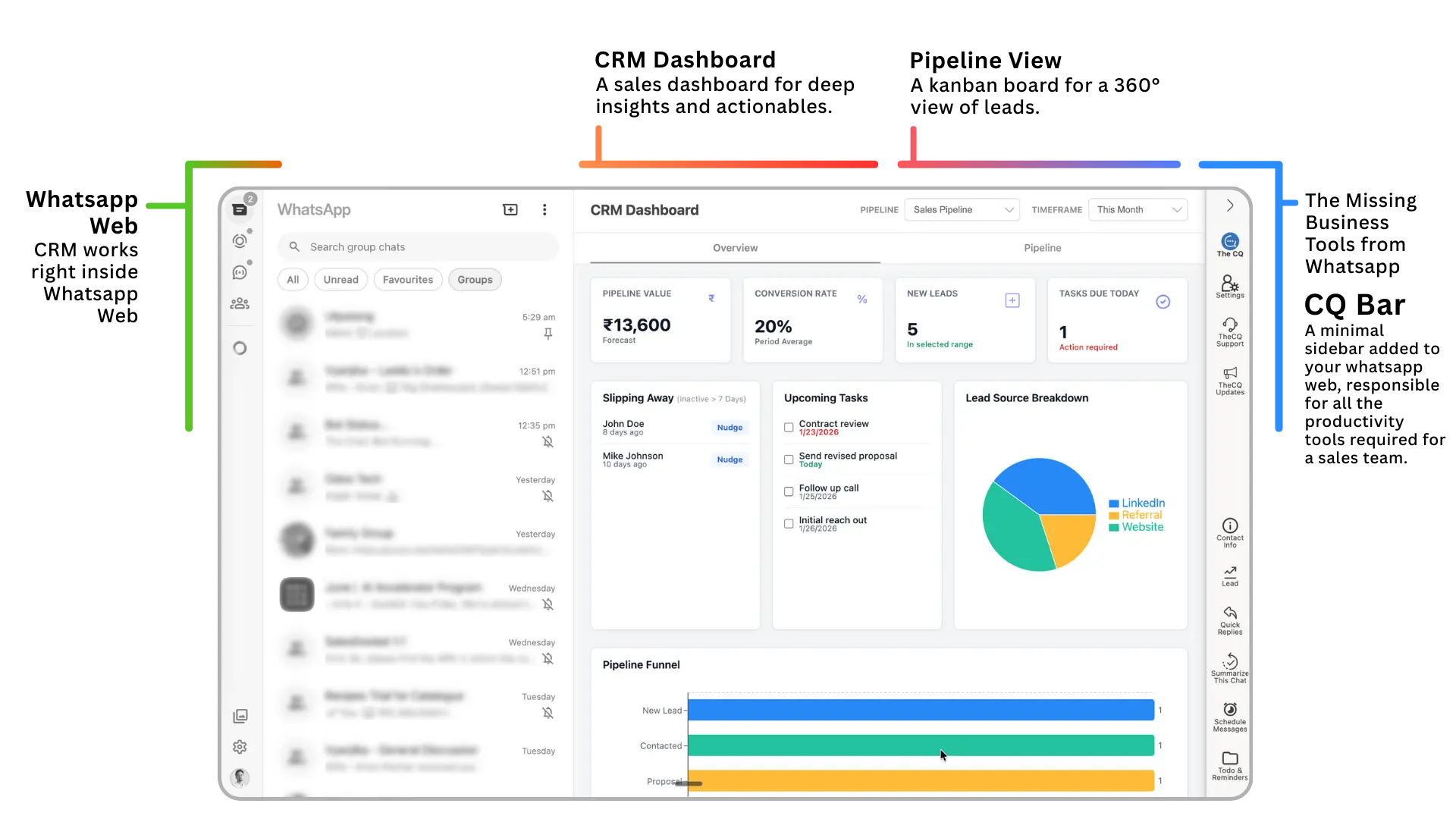
No separate login, no separate app to check. See today's replies, new leads, and closed deals right where you already work — WhatsApp Web.

Forecast value and conversion rate, updated live
Spot which leads are slipping away before it's too late
Works on your phone too, so you're never really offline
See how Dashboard works

لماذا تختار The Chat Quotient؟

Same WhatsApp. Same customers. Here's what changes once The Chat Quotient is running alongside your chats.

Without The Chat Quotient With The Chat Quotient
Broadcasting
Reaching many customers at once
Needs saved contacts or a paid tool

WhatsApp's own broadcast only reaches numbers you've saved

Free, sent automatically

Works even on numbers you haven't saved

Simultaneous chats
Talking to many customers at once
One conversation at a time

You reply to one customer while others wait

Hundreds of replies at once

AI handles every chat in parallel

Lead tracking
Keeping track of who's interested
Sticky notes & spreadsheets

Easy to lose track as chats pile up

Auto-tagged Hot, Warm, Cold

AI sorts every lead as you chat

Deal visibility
Knowing where a deal stands
Find out when they go quiet

No way to see a deal stalling before it's too late

Visual pipeline, updated live

See every deal's stage at a glance

Closing deals
When a customer is ready to buy
Depends on staff timings

If no one's online, the deal waits

Closes deals 24/7

AI handles objections and closes any time, day or night

Reporting
Checking how the month is going
Spreadsheet formulas

Manually tallied after the fact

One live dashboard

Updated automatically as chats happen

Learning the business
Getting up to speed on what you sell
New staff need training

Days of onboarding before they're useful

Learns in minutes

AI picks it up straight from your own chats

Setup
Getting started
Ongoing

New logins, training, migration — never really stops

30 seconds

Free extension, works instantly

الأسئلة الشائعة

CRM واتساب يتكامل مع واتساب لتتمكن من التواصل وإدارة العملاء من لوحة تحكم واحدة. يتيح لك إنشاء عملاء محتملين وإدارة المهام وجدولة الاجتماعات مباشرة من لوحة واتساب. The Chat Quotient يعزز ذلك بإضافة ذكاء اصطناعي داخل واتساب ويب يفهم محادثاتك ويقترح الإجراءات التالية ويملأ بيانات العملاء المحتملين تلقائياً حتى تتمكن من التركيز على البيع بدلاً من إدخال البيانات يدوياً. اقرأ دليلنا الكامل عن CRM واتساب.
ذكاءنا الاصطناعي يعمل كمساعد رقمي لا ينام أبداً. يحلل محادثاتك تلقائياً لـ:
  • ملء نماذج العملاء المحتملين نيابة عنك حتى لا تحتاج للكتابة.
  • اقتراح تحديثات للعملاء المحتملين يمكنك تطبيقها بنقرة واحدة.
  • تدوين الملاحظات وإنشاء المهام أو المتابعات بناءً على المحادثة.
  • صياغة الردود التي تساعدك على الإغلاق بشكل أسرع بالتعلم من صفقاتك الناجحة السابقة.
اعرف المزيد عن ردود الذكاء الاصطناعي.
بدلاً من تحديث خط المبيعات يدوياً، يحلل ذكاءنا الاصطناعي المحادثة لـملء نماذج العملاء المحتملين تلقائياً واقتراح تحديثات يمكنك تطبيقها بنقرة واحدة. يدوّن الملاحظات وينشئ مهام متابعة ويصيغ ردوداً بناءً على صفقاتك الناجحة السابقة، متولياً العمل الإداري "الممل" حتى تتمكن من الإغلاق بشكل أسرع. يمكنك حتى تدريب الذكاء الاصطناعي ليتصرف تماماً مثلك.
نعم، هذا بالضبط ما نفعله. The Chat Quotient يوفر مزامنة عميقة. في كل مرة تتحدث فيها، يحدد نظامنا العميل المحتمل ويحدّث لوحة تحكمك في الوقت الفعلي، مما يضمن أن سجلاتك محدثة دائماً بدون إدخال يدوي. نقدم أيضاً تكاملات أصلية مع HubSpot و Salesforce و Zoho.
حالياً، نحتفظ بميزات تعدد الوكلاء والفريق في مجموعة مغلقة لضمان أعلى جودة. إذا كنت بحاجة لوصول الفريق، يرجى التواصل معنا عبر واتساب مباشرة، ويمكننا مناقشة الوصول المبكر.
لا نقدم إرسال جماعي "غير رسمي" لأنه ينتهك سياسات واتساب ويخاطر بحظر رقمك. ندعم فقط الرسائل الجماعية عبر API واتساب الرسمي. هذه الميزة حالياً قيد التطوير ومتاحة لـمجموعة مغلقة — تواصل معنا إذا كنت ترغب في استخدامها.
بالتأكيد. لدينا لوحة تحكم ويب مخصصة حيث يمكنك رؤية الصورة الشاملة لخط مبيعاتك والتحليلات وبيانات العملاء المحتملين. عندما تكون في التنقل، لوحة التحكم متوافقة تماماً مع الهواتف المحمولة لتتمكن من إدارة أعمالك من أي هاتف. استكشف لوحة تحكم CRM.
بخلاف الأدوات الأخرى التي تستخدم روبوتات مزعجة، نستخدم الذكاء الاصطناعي لتحليل محادثاتك الفعلية. عندما يراسلك شخص جديد أو يبدي اهتماماً، يتعرف عليه الذكاء الاصطناعي كعميل محتمل ويلتقط تفاصيله تلقائياً من سياق المحادثة. تعرف على كيفية إدارتنا لجهات الاتصال.
نعم. يحدد الذكاء الاصطناعي متى يحتاج العميل لتذكير وينشئ مهام متابعة بنقرة واحدة. يضمن بقاءك في ذهن عملائك المحتملين دون الحاجة لتذكر كل تاريخ. يمكنك أيضاً جدولة رسائل لإرسالها تلقائياً.
أنظمة CRM التقليدية مصممة للبريد الإلكتروني وتبدو "ثقيلة" عند استخدامها مع واتساب. نحن لسنا مجرد تكامل؛ نحن مساحة عمل أصلية لواتساب. تحصل على ذكاء اصطناعي يفهم سياق المحادثة، وليس مجرد مكان لتخزين أرقام الهاتف. إذا كانت مبيعاتك تحدث على واتساب، فأنت بحاجة لأداة مبنية لـواتساب. انظر كيف نقارن بالأدوات الأخرى.
نعم. فكر بنا كـمحرك مبيعاتك الأمامي. يمكنك استخدام لوحة التحكم المحسنة للموبايل لإدارة المحادثات النشطة وتحديثات العملاء المحتملين. للمزامنة الأعمق مع نظامك الحالي، نقدم تكاملات CRM التي تحافظ على مصدر الحقيقة محدثاً تلقائياً.
نؤمن بالعرض وليس مجرد الكلام. يمكنك البدء باستخدام ميزات إضافتنا الأساسية فوراً لترى كيف يلتقط الذكاء الاصطناعي العملاء المحتملين. إذا كنت بحاجة لجولة شخصية في لوحة التحكم أو ميزات المجموعة المغلقة، راسلنا وسنجري جلسة سريعة فردية.
الأمان هو أولويتنا الأولى. بينما تتم معالجة محادثاتك لمساعدة الذكاء الاصطناعي، نحن لا نخزن محادثاتك على خوادمنا؛ تبقى داخل واتساب الخاص بك. نستخدم إضافة تركز على الخصوصية ومسارات API الرسمية للرسائل الجماعية لضمان بقاء حسابك آمناً ومتوافقاً وتحت سيطرتك. اقرأ سياسة الخصوصية لمزيد من التفاصيل.
أغلب المستخدمين يرون عائداً في الوقت الموفر خلال أول 48 ساعة. بترك الذكاء الاصطناعي يتولى تدوين الملاحظات وملء نماذج العملاء المحتملين وتذكيرات المتابعة، يمكنك التعامل مع 3 أضعاف العملاء المحتملين دون زيادة عبء عملك. إذا أغلقت صفقة إضافية واحدة لأنك لم تنسَ المتابعة، فالأداة تدفع ثمنها بنفسها.
أبداً. قمنا بتحسين The Chat Quotient ليكون شريطاً جانبياً خفيفاً. يعمل بجانب محادثاتك دون إبطاء متصفحك، للحفاظ على سرعتك بينما الذكاء الاصطناعي يقوم بالعمل الثقيل في الخلفية. تعرف على كيفية البدء.
لا، بالتأكيد لا. نتبع سياسة الحد الأدنى من التدخل. شريطنا الجانبي يشغل مساحة صغيرة جداً من شاشتك ومصمم ليتناسب تماماً مع سمات واتساب الفاتحة والداكنة. بخلاف الأدوات الأخرى التي تزدحم واجهتك بعلامات تجارية ثقيلة وأيقونات ضخمة، نحرص على أن يبدو جزءاً طبيعياً من مساحة عملك.
يمكنك البدء في أقل من دقيقتين. فقط ثبّت الإضافة وسيبدأ الذكاء الاصطناعي فوراً باقتراح تحديثات للعملاء المحتملين من محادثاتك النشطة. لا يوجد تأهيل معقد. يمكنك تخصيص لحظات لـتعليم الذكاء الاصطناعي عن عمليات أعمالك المحددة ليتمكن من ملء تفاصيل العملاء المحتملين بدقة أكبر.
لا نقوم بعمل "تذاكر دعم" تستغرق أياماً. يمكنك الدردشة معنا مباشرة عبر واتساب. بما أننا CRM واتساب، فمن المنطقي أن يكون دعمنا فورياً مثل مبيعاتك.

Your Next Customer Is Messaging You Right Now.

أضف إضافة Chrome وغيّر طريقة إدارتك لمحادثات واتساب لأعمالك.

5.0 rating on the Chrome Web Store · 500+ small businesses already on board

Featured On