
Deals (Kanban) Board
Manage your deals visually with our drag-and-drop Kanban board directly in WhatsApp Web.
The Deals (Kanban) tab inside the Deals panel provides a visual board where you can manage your sales cycle from start to finish. It is the default view when you click the Deal icon in the CQ sidebar.
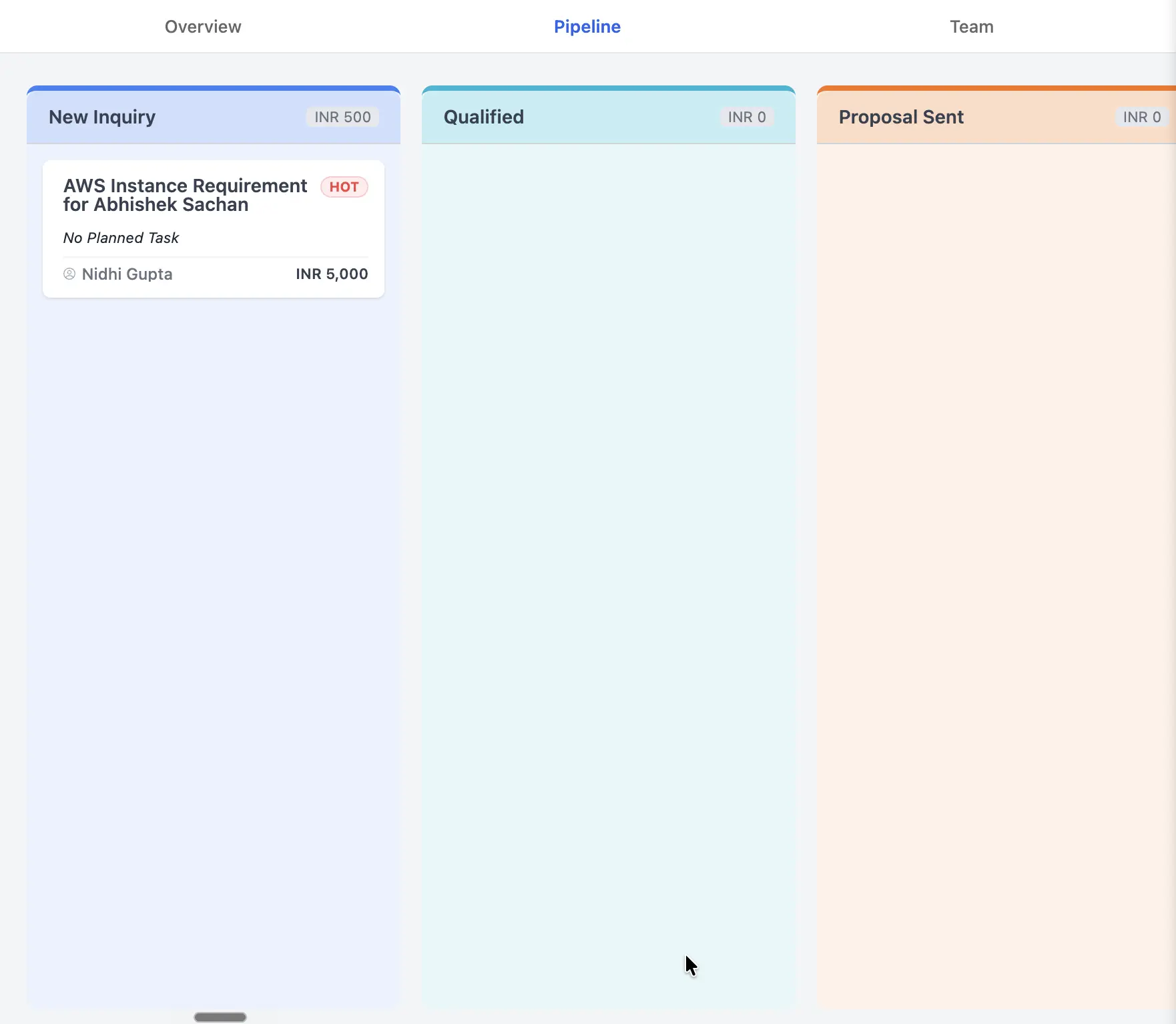
The Deals (Kanban) tab shows your deals as cards across drag-and-drop stages.
The Kanban Layout
Your pipeline is divided into multiple stages (e.g., New Deal, Qualified, Proposal, Won).
- Cards: Each deal is represented as a card.
- Stage Headers: Each column header shows the stage name and the total value of all deals currently sitting in that stage. This helps you quickly see where your money is “stuck.”
Drag-and-Drop Management
The most effective way to manage your pipeline is through drag-and-drop.
- Click and hold a deal card.
- Drag it to a new stage column as the deal progresses.
- The stage update is saved instantly.
Quick Interactions
- Open Details: Click on any deal card to open the Deal Detail Side Panel without leaving the Kanban view.
- Jump to Chat: Click the WhatsApp icon on the deal card to instantly open the corresponding chat thread on the left.
Why Use the Kanban View?
A visual board is often better than a simple list because it highlights bottlenecks. If you see 20 deals in the “Proposal” stage but none in “Negotiation,” it’s a clear signal to focus on closing your existing proposals rather than finding new deals.